How to Retouch Photos for Smooth Skin
Upload Your Image
Start AI Skin Retouching by uploading the portrait or photo that needs retouching. Borderlands Free Grok Image Generator AI Skin Retouching scans the face, detects blemishes, uneven tone, and texture issues automatically.
Generate Smooth Skin
Click ‘Generate’ to activate AI photo retouching instantly. Borderlands Free Grok Image Generator AI Skin Retouching removes acne or any blemishes that it detects. AI recreates the skin for the blemished spots to give it a natural feel.
Download the Retouched Image
Download the enhanced photo in high resolution once you are satisfied with the results. You can use the retouched photo for your photoshoot portfolio, model reshoot, e-commerce photo enhancement, etc.
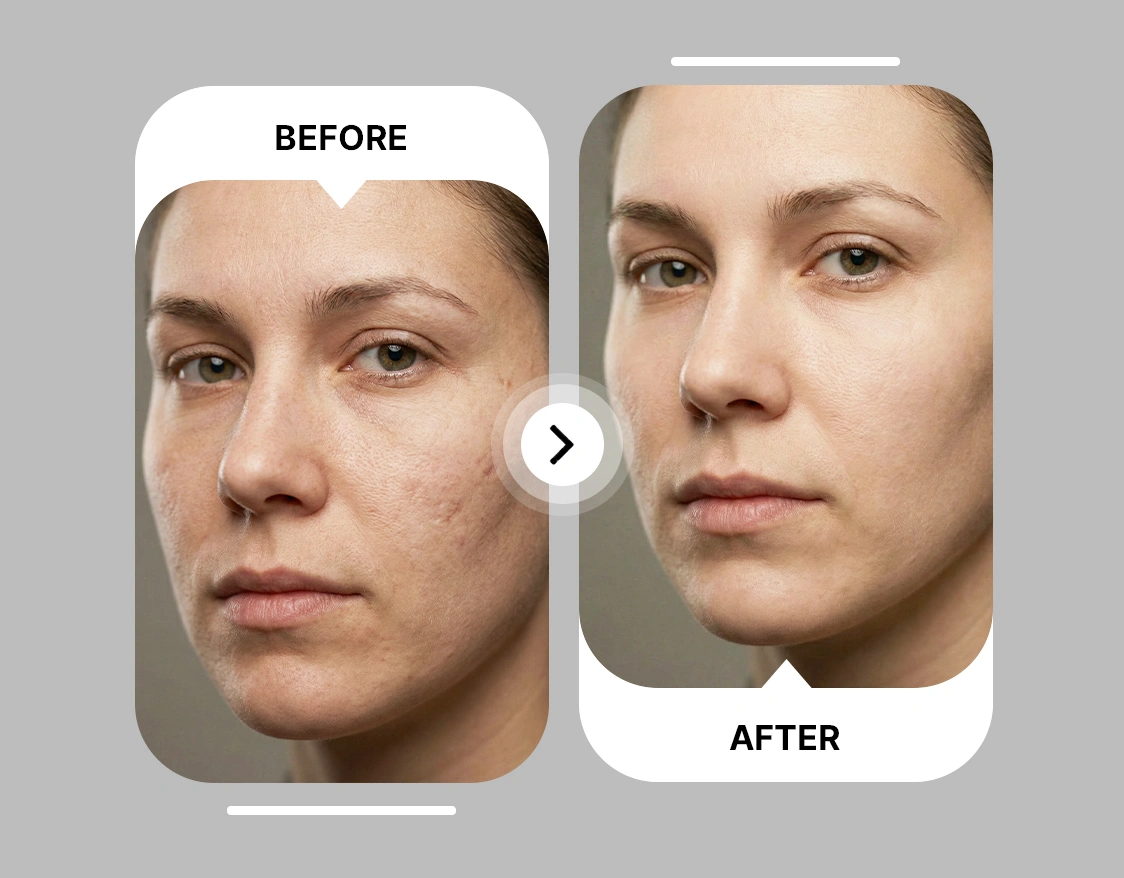
Instant AI Skin Retouching With No Watermarks
Any photo shows flaws that can ruin the shot, especially if it's a professional photoshoot. That is, unless you are specifically going for the blemished look. Borderlands Free Grok Image Generator AI Skin Retouching fixes the issues in seconds and delivers high-resolution, watermark-free images. You can use these photos for social media, portfolios, or client work. All you need to do is input the image and hit generate. That’s it! No more wasting time clicking and removing every issue like you would on Photoshop. This AI retouch tool does it in seconds and does it efficiently. Got last-minute photos? What are you going to do? Use AI Skin Retouch, of course! Clear event photos before posting or fix professional portraits quickly for portfolios or client deliveries.
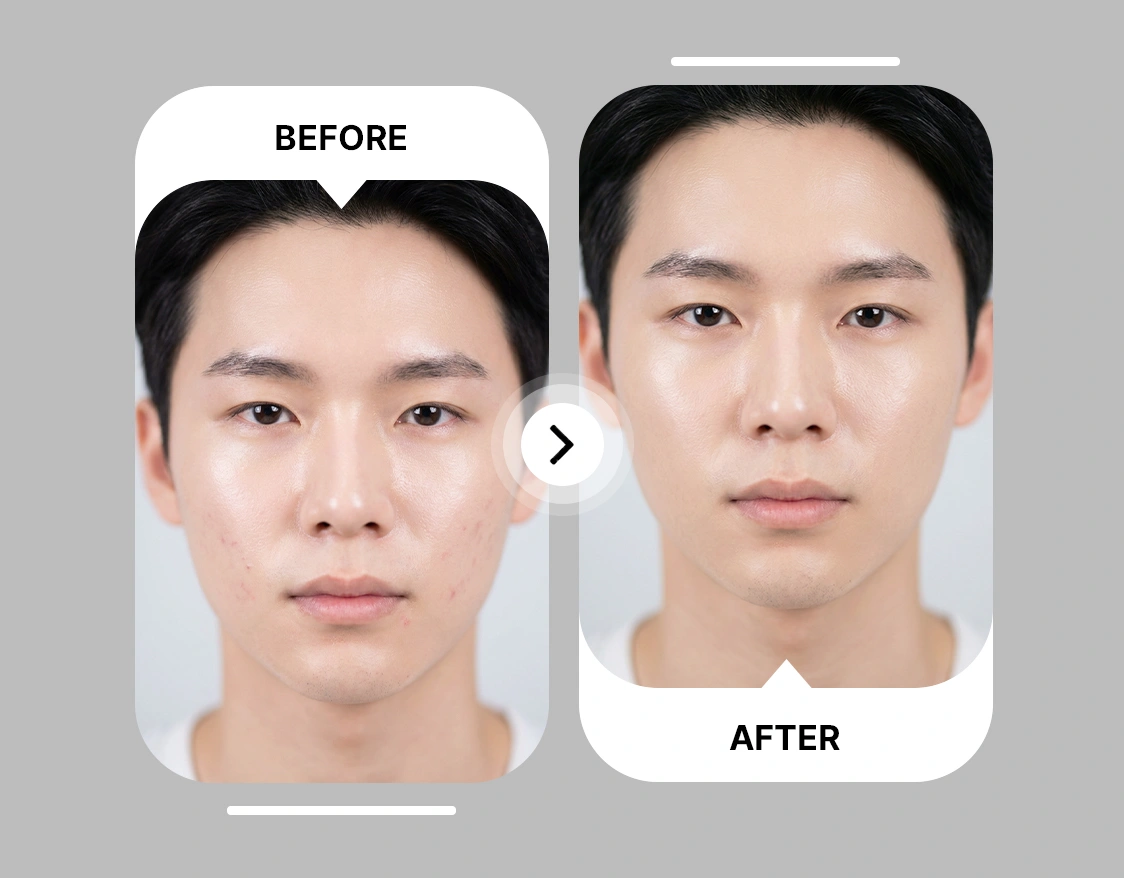
Maintain Natural Looking Smooth Skin Using AI
People can tell when something has been overly retouched or if it feels unnatural. Removing blemishes and making the skin over-smooth are two different things, and it can make your images look bad. Borderlands Free Grok Image Generator AI Skin Retouching balances tone, softens texture, and preserves facial details to maintain a natural look. So, you no longer have to worry about getting an unnatural photo with our online retouching photo tool. It makes sure that the results are realistic and your photo is not altered besides what is necessary.
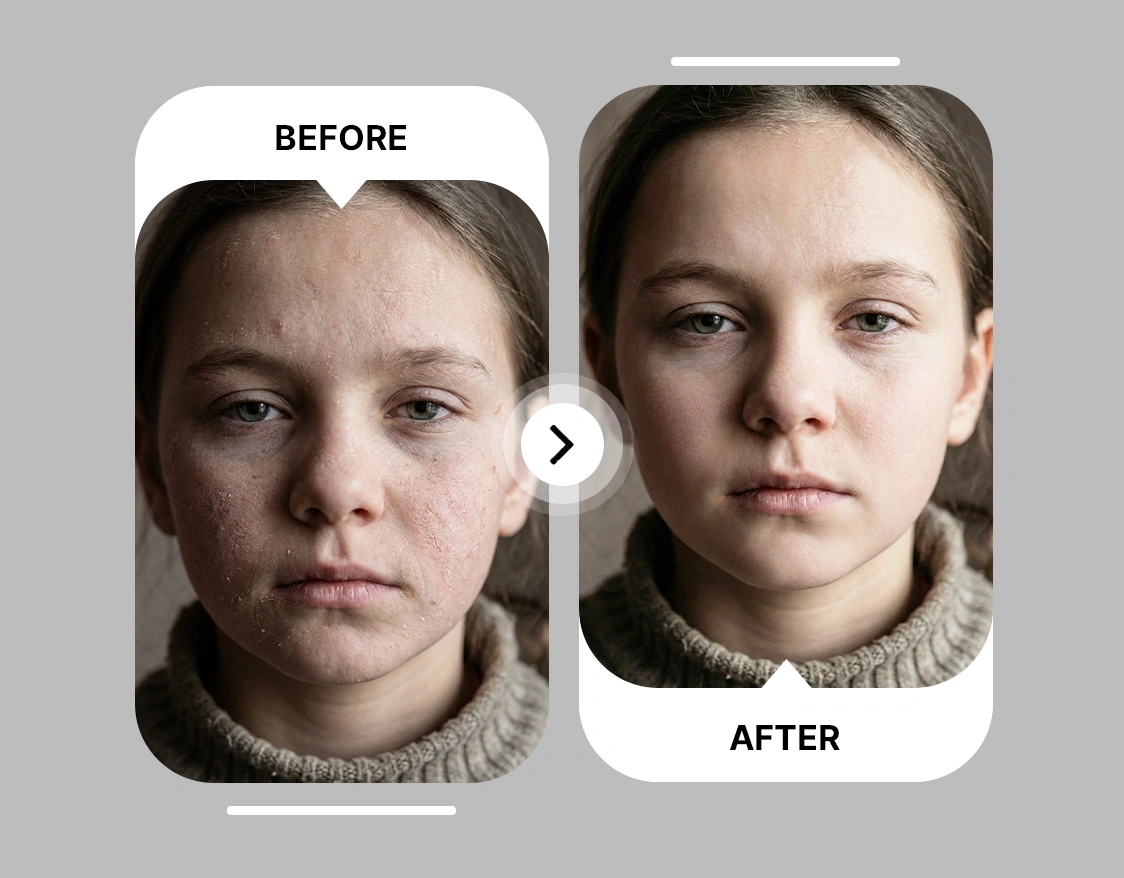
Utilize AI Blemish Remover to Retouch Photos Without Prompt
Most AI tools would make you either select the spots or blemishes one by one, or they would make you type a prompt. No one wants to be reminded of their skin being bad, and why the need for the prompt? You just want a flawless photo with AI? Let Borderlands Free Grok Image Generator AI Skin Retouch tool be your saviour. You just need to upload your image and hit generate, and that’s it. Your work is done without ever needing a prompt. It detects and removes blemishes automatically, keeping hair, eyes, and background untouched.
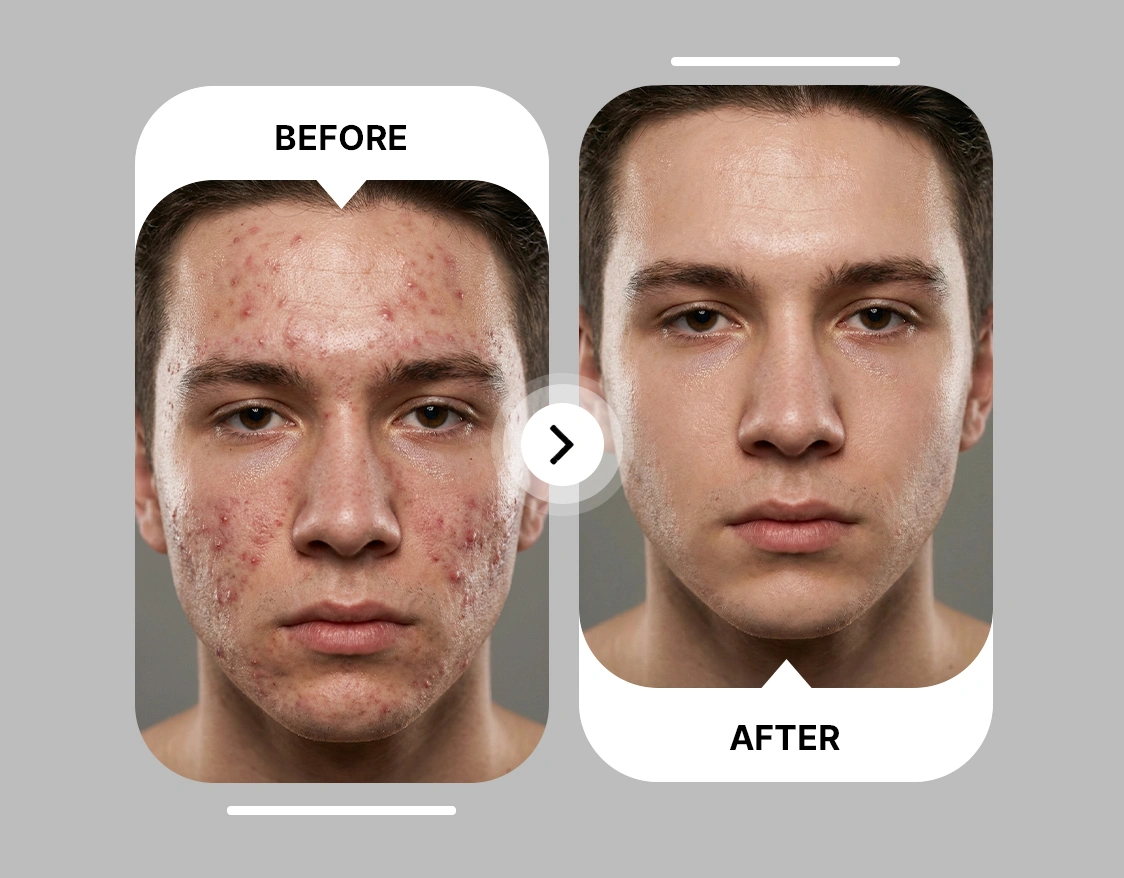
Use AI Photo Retouch With No Editing Skills
Editing software wastes time and requires expertise. Borderlands Free Grok Image Generator AI Skin Retouching turns any photo into a polished image with a simple upload, generate, and download process. Transform phone shots into studio-quality portraits. Prepare social media or marketing content in seconds. Deliver professional visuals for branding, client projects, or personal use without touching Photoshop.








Trusted by Professionals and Creators from top Brands and Companies
Hear from Borderlands Free Grok Image Generator Users
I started using Borderlands Free Grok Image Generator AI Skin Retouching to clean up my selfies before posting on Instagram, and it’s exactly what I needed. It smooths skin and evens tone without making my face look fake, and I don’t have to spend hours in Photoshop.

Anya Petrova

As a freelance photographer, I rely on Borderlands Free Grok Image Generator AI Skin Retouching to touch up client portraits quickly. It removes blemishes and balances skin tone while keeping details like pores and natural texture, which my clients really appreciate.

Ben Harris

I picked up Borderlands Free Grok Image Generator AI Skin Retouching for my hobby of taking family and pet photos. It’s easy to use and makes casual shots look polished without over-editing, so I can share memories that actually feel real.

Isabelle Kim

For my small beauty brand, Borderlands Free Grok Image Generator AI Skin Retouching helps me prepare model and product photos for social media. The AI smooths skin subtly and removes minor imperfections, making visuals look consistent across posts without extra editing time.

Michael Chenn

Common Questions About AI Skin Retouch
Borderlands Free Grok Image Generator AI Skin Retouch automatically detects skin imperfections such as blemishes, wrinkles, and uneven tones. It smooths textures, evens out skin tone, and enhances overall appearance.
Borderlands Free Grok Image Generator AI Skin Retouch is a user-friendly tool that is automatic, fast, and requires no editing experience. Photoshop demands time and skill to achieve similar results, while Borderlands Free Grok Image Generator delivers polished, natural-looking skin in seconds.
Yes, when you sign up to ImagineArt, you can 100 free credits and 100 free credits every month afterwards. You can use these credits to use skin retouch AI for free!
Yes, the AI can enhance photos of various resolutions. Higher-quality images produce the best results, but low-resolution photos can still be improved with automatic skin smoothing and blemish removal.
Simply upload your image to Borderlands Free Grok Image Generator AI Skin Retouch. The AI identifies imperfections and applies skin smoothing and wrinkle reduction, producing polished and natural-looking results in seconds.
Photoshop requires manual adjustments and advanced editing skills to achieve professional results. Borderlands Free Grok Image Generator AI Skin Retouch is fully automatic, faster, and beginner-friendly, delivering high-quality skin enhancements without complex steps.
Yes, Borderlands Free Grok Image Generator preserves natural skin texture and facial details while removing blemishes and evening out tone. This keeps the final image polished yet realistic, unlike overly smoothed manual edits.
Absolutely. Borderlands Free Grok Image Generator AI Skin Retouch provides high-quality results suitable for professional portfolios, client shoots, and commercial photography. It saves time while maintaining magazine-quality skin retouching standards.
It usually takes only a few seconds to process each image. Borderlands Free Grok Image Generator AI Skin Retouch delivers smooth skin and flawless tones instantly without the delays of manual retouching in Photoshop or Lightroom.
Portraits, selfies, headshots, and model photos work best. Images with visible skin allow the AI to effectively remove blemishes, reduce wrinkles, and even out tone.
Currently, Borderlands Free Grok Image Generator AI Skin Retouch processes one photo per session. This ensures maximum quality and precision for every image.
Because, Borderlands Free Grok Image Generator AI Photo Retouch produces fast, professional-looking results that are ready for Instagram, TikTok, LinkedIn, or other platforms. Users can generate consistent, polished photos without spending hours editing in Photoshop.