How to Change Camera Angle of Photo Using AI
Upload Your Image
Start by uploading the photo you want to edit. Borderlands Free Grok Image Generator AI Change Camera Angle uses this as the base to adjust perspective and camera angle accurately.
Adjust Angle and Perspective
Use the sliding controls to rotate left or right, move up or down, and zoom. Instantly see how different angle shots change the look and feel of your image.
Generate Your New Image
Click ‘Generate’ to finalize the changes. The app delivers a polished result with the adjusted camera angle and perspective, ready for social or professional use.
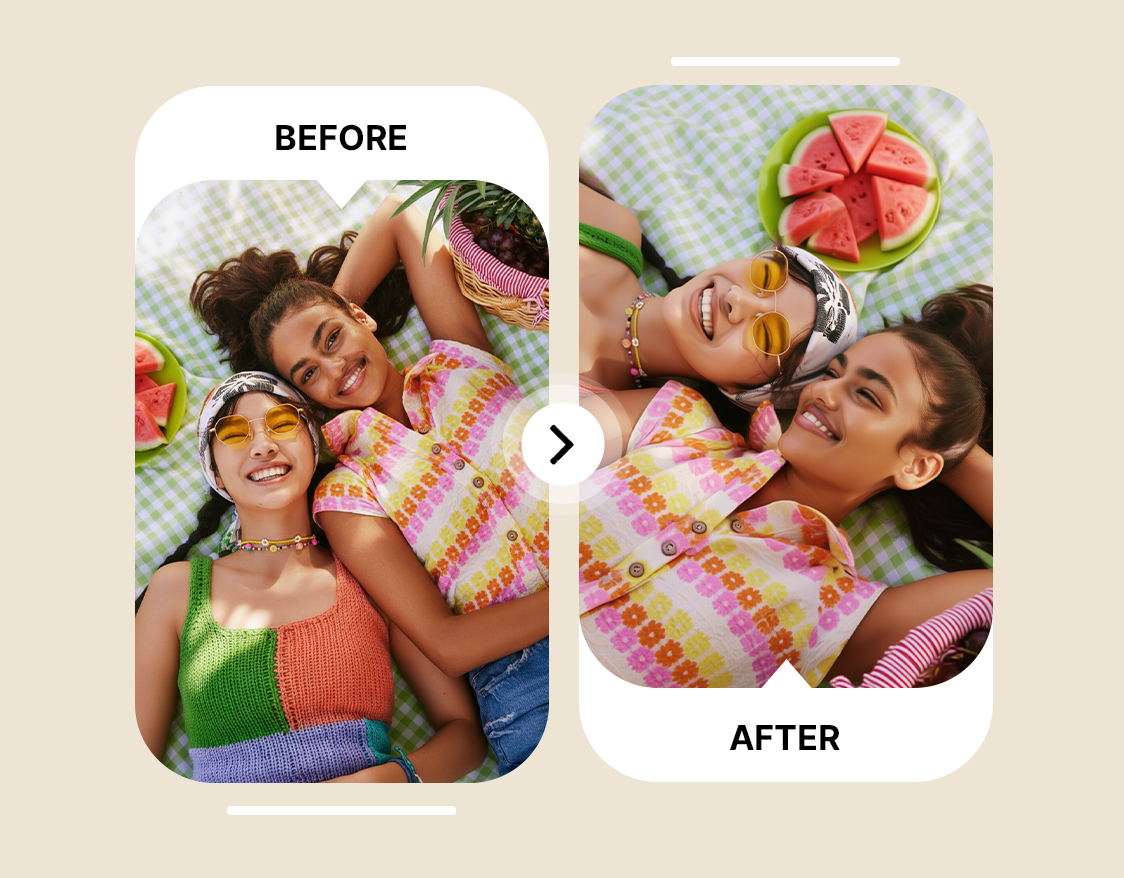
Change Camera Angle with Perfect Perspective
Frustrated with photos that look flat or off-proportion? Borderlands Free Grok Image Generator Change Camera Angle lets users fix image perspective instantly, keeping depth natural and subjects aligned while minimizing visual errors. Highlight details with different angle shots, rotate to discover the best camera angle, or adjust the camera angle of view for presentations and creative projects. This angle generator ensures every photo maintains correct proportions and realistic depth, saving hours compared to reshoots.
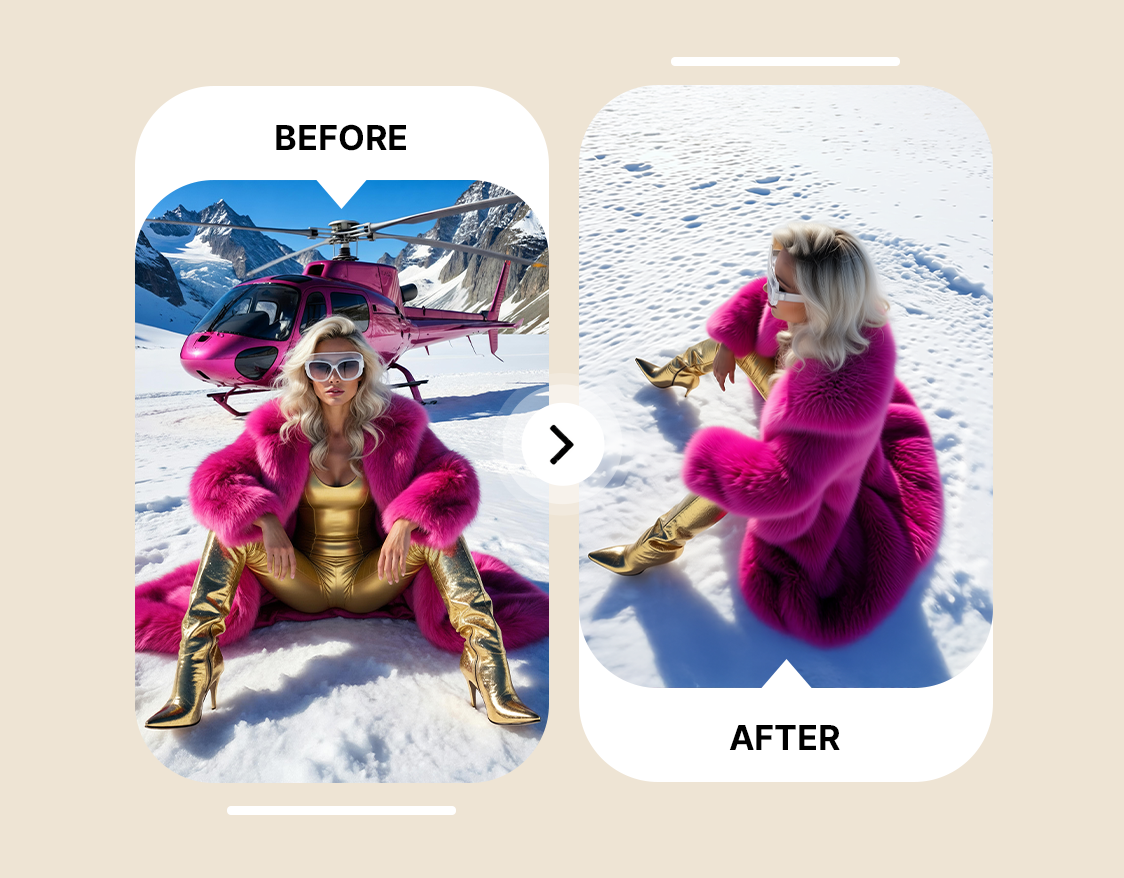
Simple Photo Angle Editor for Beginners with No Editing Skills
Struggling to make images look professional without technical expertise? The Photo Angle Editor makes photo angle change easy, letting users move images up or down, rotate left or right, and zoom in without design or photography skills. Quickly control camera angle and create engaging visuals for social media, online portfolios, or class projects. Even beginners can change image perspective in seconds, producing different angle shots that feel polished and intentional.
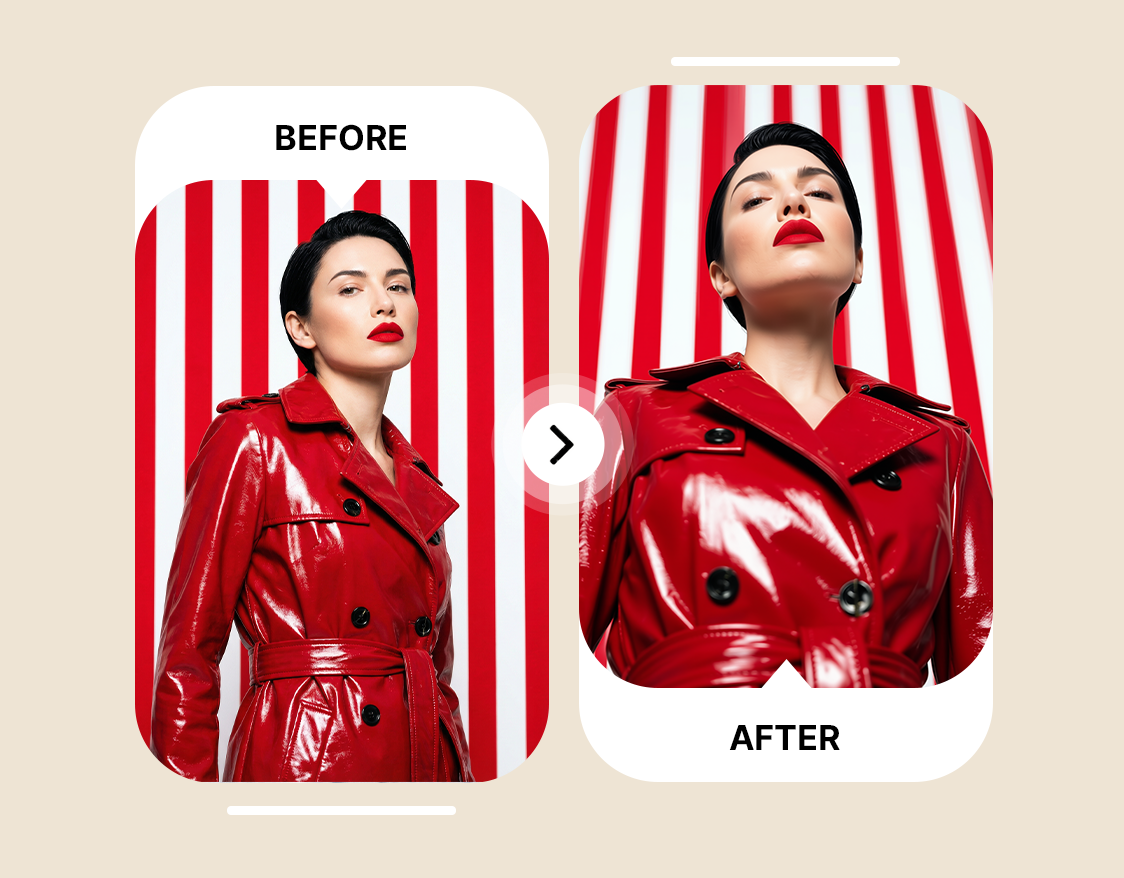
Quick Camera Angle Control for Faster Workflows
Tired of spending hours adjusting photos to get the right look? Change Camera Angle acts as a reliable angle generator, letting users rotate, reposition, and zoom images for consistent results across multiple shots. Control camera angle efficiently, create best camera angle views for e-commerce or marketing visuals, and produce high-quality different angle shots without reshooting. Streamlined Camera Angle Control keeps workflows fast, so professionals, content teams, and social media managers can focus on creativity instead of technical edits.








Trusted by Professionals and Creators from top Brands and Companies
Reviews From Satisfied Users
Change Camera Angle has completely changed how I approach my personal photography. I can adjust the camera angle of view after taking a shot, making everyday pictures feel more dynamic without needing a full reshoot.

Anya Petrova

As a small business owner, I use the Photo Angle Editor to showcase products from different angle shots. It’s easy to find the best camera angle for listings, which saves time and keeps my brand visuals consistent.

Ben Harris

I’ve been experimenting with it for creative hobby projects, adjusting image perspective on travel photos and sketches. The camera angle control is intuitive, and it lets me explore different compositions I wouldn’t have tried before.

Isabelle Kim

For social media content creation, Change Camera Angle is a time-saver. I can quickly rotate and reposition images to highlight key subjects, maintain proper proportions, and generate consistent visuals across posts without complicated software.

Michael Chenn
